Airbnb Listing Not Getting Views? Here's the Real Fix
If your Airbnb listing is not getting views, the problem is almost always one of three things: your listing isn't actually visible in search, it's visible but not converting to clicks, or it's getting clicks but not converting to bookings. Each of those is a different diagnosis with a different fix, and treating them the same way is why most hosts stay stuck for weeks.
Key Takeaways
- Zero views usually means a technical visibility problem: an unlisted, snoozed, or unverified listing, not a ranking problem.
- Airbnb's search algorithm weighs quality, popularity, total price, and location, according to Airbnb's own Resource Center guidance on how search works.
- U.S. short-term-rental supply is projected to grow from 1.69 million listings in 2026 to 1.77 million in 2026, meaning more competition for the same search real estate.
- AirDNA's 2026 midyear outlook forecasts demand and available listings both growing at 2.7%, so standing out from comparable listings matters more than market-wide growth.
- Views, clicks, and bookings are three separate metrics that require three separate diagnostic steps, not one blanket "fix your photos" answer.
- The regiSTR connects hosts with vetted STR photographers, revenue managers, and marketing specialists who fix listing visibility problems for a living, filtered by market and service category.
Hosts searching "why is my Airbnb listing not getting views" in 2026 are usually dealing with one of two very different situations, and most advice online conflates them. Either the listing is genuinely invisible in search results, a technical problem, or it's showing up fine but failing to convert once guests see it, a positioning problem. We've reviewed enough listing performance issues across the STR service providers in our network to know that most hosts jump straight to "I need better photos" before confirming which problem they actually have.
This guide walks through both diagnoses in order: first confirming your listing is actually visible, then working through the specific levers, price, photos, copy, reviews, response behavior, that move a listing from ignored to booked. We'll also cover two frameworks hosts keep asking about by name, the so-called 80/20 and 75-55 rules, and where each one actually comes from. the regiSTR is a short-term rental service directory, and what follows draws from the patterns we consistently see across cleaning, photography, and revenue management providers listed in our network who get called in specifically to fix underperforming listings.
Is Your Listing Actually Visible, or Just Underperforming?
A visibility failure means your listing does not appear in Airbnb search results at all, which is different from a listing that appears but gets skipped over. Confirming which one you have is the first step, and it takes about five minutes.
Start by searching for your own listing the way a guest would: open an incognito browser window, enter your actual market, your actual dates, and your actual guest count. Do not search your listing title directly, since that bypasses the ranking algorithm entirely and tells you nothing. Airbnb's Help Center specifically recommends this guest-perspective search as the first troubleshooting step.
If your listing does not appear even when you narrow by exact dates, guest count, room type, and a tight map zoom, you likely have a technical visibility problem, not a ranking problem. One Airbnb Community response notes that broad, unfiltered searches may only display around 300 listings at a time in a given market, so a listing sitting outside that window on a wide search can still be perfectly bookable once a guest filters down.
If it does appear, but several pages deep or below comparable properties, that's a ranking and conversion issue, covered later in this guide. Confusing the two is the single most common mistake we see hosts make when troubleshooting an Airbnb listing not getting views.
What Technical Issues Cause Zero Airbnb Listing Views?
Technical visibility failures are caused by account or listing-status problems that remove your property from search entirely, regardless of price, photos, or reviews. These are binary, either the listing is discoverable or it isn't, and they're the first thing to rule out before touching your pricing or photography.
Run through this checklist in order:
- Confirm the listing is published, not a draft. Airbnb requires a completed setup flow, and an incomplete listing never enters search.
- Check for an accidental snooze. Hosts occasionally pause a listing while editing and forget to reactivate it. This is one of the most common causes reported in Airbnb's Community Center.
- Verify calendar sync isn't blocking every date. If a connected channel manager or a third-party calendar is double-blocking your availability, Airbnb may show zero bookable nights even though the listing itself is live.
- Check your map pin. A pin dropped in the wrong neighborhood, or even a few blocks outside your actual service area, can exclude you from location-filtered searches guests are actually running.
- Confirm your account verification status. New accounts sometimes face a short publication delay while identity or listing details are reviewed, and Community reports describe this as commonly lasting somewhere in the range of 24 to 72 hours.
- Review your minimum stay and advance notice settings. A 14-night minimum or a 30-day advance notice requirement will silently filter you out of most guest searches, since most trips booked on Airbnb are shorter and more spontaneous than that.
- Check for unsaved draft edits. An edited photo set or description that didn't fully save can sometimes revert a listing to an incomplete state.
Document what you find. If you contact Airbnb support about a visibility issue, having the exact search dates, guest count, filters used, a dated screenshot showing the absence, and your calendar and stay-length settings ready will get you a faster resolution than a general complaint.
This exact troubleshooting process is why we built a directory instead of another generic checklist. STR consultants and revenue managers listed on the regiSTR run this audit for hosts constantly, and they catch settings issues, like a calendar block from a mismatched channel manager, that a first-time host would never think to check.

How Does Airbnb's Search Algorithm Actually Rank Listings?
Airbnb's search ranking is driven primarily by four factors: listing quality, popularity, total price, and, for entire homes, location relative to the guest's search. This is stated directly in Airbnb's own Resource Center guidance on how search works, and it's the framework every other optimization tactic in this article maps back to.
Quality covers your photos, your description completeness, your amenity accuracy, and your review scores. Popularity covers how often guests book your listing, view your listing page, or add it to a wish list, essentially a real-time demand signal that compounds over time. Total price means guests see your nightly rate plus cleaning fee plus service fee added together, not just the headline nightly rate you set, which matters enormously when you're comparing yourself against competing listings.
Response behavior and Instant Book status also factor in. Airbnb states that Instant Book can help your listing surface when guests specifically filter for it, and it can also speed up your response time metrics, since there's no back-and-forth message thread required before confirmation.
Notably, none of these four factors are about how long you've hosted or how many properties you manage. A brand-new listing with strong reviews on comparable properties nearby, accurate amenities, and a competitive total price can outrank a five-year-old listing that's gone stale on pricing and photos. This is exactly the kind of comp-set positioning that revenue managers and STR marketing specialists are built to handle, and it's a category we see hosts underinvest in relative to cleaning and photography.
What Is the 80/20 Rule in Airbnb?
The 80/20 rule referenced in Airbnb host discussions is a general guideline suggesting that roughly 80% of a listing's booking performance comes from a small set of high-impact factors, typically price, photos, and location relative to demand, while the remaining, more granular details account for a smaller share of results. It's not an official Airbnb metric or policy, it's informal shorthand hosts use to prioritize effort.
In practice, that means spending your limited time on the few levers that move performance the most, rather than obsessing over minor description wording or amenity checkbox order. For a listing that isn't getting views, this translates to a practical priority order: confirm technical visibility first, then price competitively against your actual comp set, then fix your cover photo and photo sequence, then everything else.
We'd add a caveat that most articles skip: this kind of prioritization framework is directional, not a formula Airbnb has published or verified. Treat it as a way to sequence your effort, not as a guaranteed performance split. What we consistently see across STR consultants in our network is that price and photos genuinely do carry more weight than obscure settings tweaks, which is the useful part of this guidance even without a verified percentage attached to it.
If pricing your listing against a real comp set feels like guesswork, that's precisely the gap revenue management providers close. Hosts browsing revenue management specialists on the regiSTR are typically looking to fix exactly this, competitive positioning against nearby listings rather than a flat, set-it-and-forget-it nightly rate.
What Is the 75-55 Rule in Airbnb?
There is no verified, official "75-55 rule" published by Airbnb or any authoritative STR industry source. It shows up occasionally in host forums with inconsistent definitions, sometimes tied to occupancy percentages, sometimes tied to pricing discounts, which is a strong sign it's informal community shorthand rather than an established framework.
We're not going to invent a definition just to give you an answer. What's actually useful here is the underlying instinct behind why hosts search for it: they want a simple numeric target for occupancy or pricing that tells them whether they're on track. Real occupancy benchmarks do exist and are worth anchoring to instead. Median listing occupancy across more than 862,000 tracked U.S. entire-home listings sat at 25.9% for the twelve months ending June 30, 2026, according to AirROI's market analysis, with a 25th percentile of 20.7% and a 90th percentile of 37.3%.
AirDNA's 2026 midyear outlook similarly forecasts U.S. short-term-rental occupancy around 57.4% for 2026, compared with a 57.0% pre-pandemic average, a different measure than AirROI's since it reflects a different calculation basis and market mix. Either figure is a more useful benchmark than an unverified named "rule." If your occupancy is sitting well below the 25th percentile for your comp set, that's a signal worth investigating, not through a folk rule, but through an actual audit of your pricing and listing quality against comparable properties nearby.
How Do You Increase Airbnb Listing Views?
Increasing Airbnb listing views means improving the popularity and quality signals Airbnb's algorithm rewards, specifically booking frequency, page visits, wish-list saves, and listing completeness, since those are the inputs Airbnb has confirmed drive search placement. This is a different goal from increasing bookings directly, views come first in the funnel.
Concrete levers that move views:
- Price within range of your comp set. A practical first test: compare your total price, not just your nightly rate, against three genuinely comparable listings in your exact market, searched as a guest would search.
- Refresh your calendar regularly. Airbnb's search behavior appears to favor listings with recently updated availability. A calendar untouched in over a week can signal staleness even if you have plenty of open nights.
- Enable Instant Book. Guests filtering specifically for Instant Book will not see your listing at all if it's disabled, regardless of how good everything else looks.
- Make your search-engine indexing setting work for you. Airbnb offers a setting that allows individual listing pages to be indexed by external search engines like Google. Most hosts never touch this setting, which means their listing is invisible to anyone searching outside the Airbnb app itself, a discoverability gap almost nobody talks about.
- Strengthen your review velocity. Popularity signals compound. A listing earning consistent, recent reviews outperforms a listing with strong reviews from two years ago and nothing since.
Notice that photography and description quality aren't on this specific list, they matter enormously for the next stage of the funnel, converting a view into a click, which we cover next. Views are largely a function of price competitiveness, popularity momentum, and technical settings like Instant Book and search-engine indexing.
How Do You Get Your Airbnb Listing Noticed Once Guests See It?
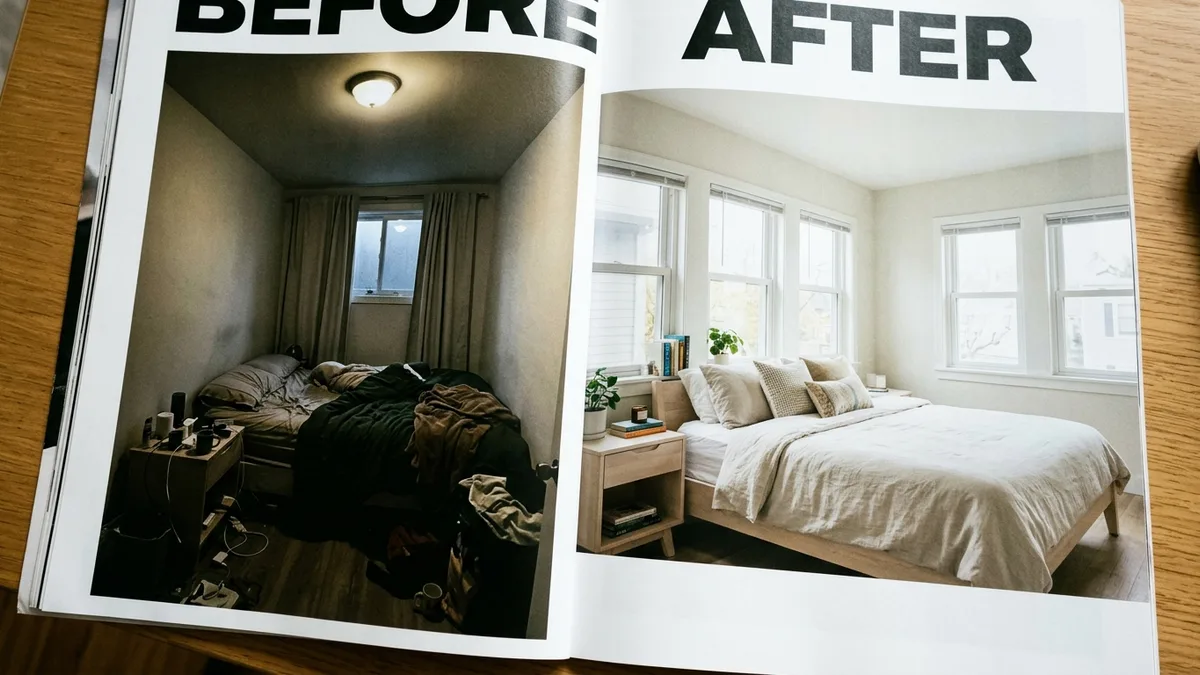
Getting your listing noticed once it appears in search results means winning the click, the moment a guest scans a results page and decides which thumbnail is worth opening. This is a distinct problem from visibility. A listing can rank on page one and still get skipped if the cover photo and price don't stand out against the comp set surrounding it.
Your cover photo is the single highest-leverage lever at this stage. The strongest-performing photos tend to feature the most visually compelling room in the property, typically the living area or primary bedroom rather than an exterior shot or front door, shot in natural light without flash, staging clutter, or people in frame. A dim, wide-angle, poorly lit cover photo will suppress your click rate even if your price and reviews are excellent.
Beyond the cover photo:
- Photo order matters as much as photo quality. Lead with your best space, then move through the property in a logical flow a guest would actually walk it.
- Your title should communicate a specific benefit, not a generic descriptor. "3BR cabin with private hot tub near downtown" beats "Cozy home away from home."
- Your description's first two sentences matter most, since that's the visible preview before a guest expands it. A description built around who the property is genuinely for, before diving into logistics like check-in and parking, tends to perform better than a straight amenity list.
This is where photography quality becomes a measurable revenue lever rather than a cosmetic nice-to-have. Hosts working with a photographer who has actually shot STR listings before, understanding cover-photo composition and natural light staging, consistently outperform hosts using a generalist photographer or their own phone. If your photos are the weak link in your funnel, browse vetted STR photographers by market rather than gambling on a general portrait or real estate photographer who's never shot for Airbnb search performance specifically.
Views, Clicks, and Bookings: How Do You Diagnose the Difference?
The Airbnb host funnel breaks into three separate, measurable stages, impressions, views, and booking conversions, and treating a low-booking problem like a low-view problem, or vice versa, wastes weeks of effort on the wrong fix. Airbnb's own professional hosting tools let hosts compare these exact metrics against similar listings in their region.
| Metric | What It Measures | Likely Root Cause If Low | Where to Focus |
|---|---|---|---|
| Impressions | How often your listing appears in search results at all | Technical visibility issue or uncompetitive total price pushing you off the results page | Status audit, calendar settings, pricing against comp set |
| Views / Click-through rate | How often guests click your listing once they see it in results | Weak cover photo, unclear title, price appears high relative to visible quality | Photography, title, photo order |
| Booking conversion | How often a guest who opens your listing page actually books | Description doesn't answer key questions, reviews are thin, house rules feel restrictive | Description copy, review strategy, calendar flexibility |
Track these over a rolling seven to fourteen day window, changing only one variable at a time. Lower-traffic listings, especially newer ones or those in smaller markets, need the longer fourteen-day window since smaller sample sizes produce noisier daily swings. Changing your cover photo and your price on the same day tells you nothing useful when performance shifts, since you won't know which change caused it.
A simple, fast diagnostic worth running immediately: enable Instant Book if it's off, swap your cover photo for your strongest interior shot, and drop your nightly rate 10-15% below your closest comparable listings for the next thirty days. If views jump but bookings stay flat, your visibility problem is largely solved and you have a conversion problem instead, pointing you toward description and review work rather than more photography spend.
How Do You Fix Low Airbnb Booking Conversion Even After Views Improve?
Low booking conversion after views have improved means guests are opening your listing but choosing not to book, which points to trust and clarity problems rather than visibility problems. This stage requires reviewing your listing the way a skeptical guest would, not the way a proud owner would.
Check these specifically:
- Do your reviews address common guest hesitations directly? Vague five-star reviews with no detail convert worse than reviews mentioning specific things like parking ease, noise level, or communication speed.
- Is your total price transparent early? Guests who feel surprised by a cleaning or service fee at checkout abandon the booking, and that abandonment shows up as a conversion problem, not a views problem.
- Are your house rules unusually restrictive compared to the comp set? A strict no-guest, no-pet, no-early-check-in policy stacked together reads as high-friction next to more flexible comparable listings.
- Is your response time competitive? Slow responses to pre-booking questions cost you conversions even when a guest is already interested.
If your listing checks all these boxes and conversion still lags, the issue may be structural rather than cosmetic, an underlying property condition, a management gap, or a pricing strategy that's fundamentally miscalibrated for your market rather than one setting away from fixed. That's usually the point where a full-service property manager or a dedicated revenue manager earns their fee, since ongoing comp-set monitoring and guest experience management is a full job, not a one-time audit. Vetted property managers and revenue specialists on the regiSTR handle exactly this kind of ongoing optimization for hosts who don't have time to re-audit their funnel every month.
What Should You Do If Airbnb Support Confirms a Technical Bug?
If you've completed the full visibility checklist and your listing still doesn't appear in guest-perspective searches, the next step is a documented support request, not a repeat of the same checklist. Airbnb's Community Center includes numerous reports of listings dropping to zero views due to backend bugs unrelated to anything the host controls.
Before contacting support, gather: the exact search dates and guest count you tested, every filter applied, a dated screenshot showing your listing absent from results, your current calendar state, your minimum and maximum stay settings, your advance notice window, and any in-app notice Airbnb has already sent you about your account or listing status. A specific, evidence-backed report gets escalated faster than a general "my listing isn't showing up" message.
If the issue turns out to be a temporary publication delay rather than a bug, patience is genuinely the fix; Community reports describe this delay commonly resolving within roughly 24 to 72 hours for newer accounts or listings with recent major edits. Don't panic-change your pricing or photos during that window, since any resulting performance shift will be impossible to attribute correctly once the delay resolves on its own.
Practical Guidance: A Step-by-Step Audit for a Listing With Zero Views
Work through this in order. Do not skip steps or run them in parallel, since each step determines whether the next one is even necessary.
- Search your listing incognito, using real dates, real guest count, and a tight map zoom, exactly as a guest would.
- Confirm the listing is published, unsnoozed, calendar-synced correctly, and not restricted by an aggressive minimum stay or advance notice setting.
- Check your map pin location for accuracy.
- Compare your total price, including cleaning and service fees, against three real comparable listings in your market.
- Review your cover photo and photo order against your strongest competing listings nearby.
- Enable Instant Book if it's currently disabled.
- Enable search-engine indexing for your listing page if it's currently off.
- Make one change, then hold for seven to fourteen days before making another.
- Track impressions, click-through rate, and booking rate separately using Airbnb's professional hosting comparison tools.
- If technical visibility is confirmed broken after all of the above, file a documented support request with dated evidence.
Most hosts skip straight to step five and wonder why nothing changes. Steps one through four resolve the majority of "zero views" complaints we see referenced across host communities, and they cost nothing but time.
Frequently Asked Questions
What is an Airbnb virtual assistant?
An Airbnb virtual assistant is a remote worker who handles guest messaging, booking coordination, and administrative tasks for a host, typically without managing on-property services like cleaning or maintenance directly. They differ from a co-host, who usually takes on broader operational responsibility and often earns a percentage of revenue rather than an hourly or flat fee.
What is an Airbnb hosting assistant?
An Airbnb hosting assistant generally refers to the same role as a virtual assistant, someone supporting day-to-day guest communication, calendar management, and review responses remotely. Some hosts use the term interchangeably with co-host, though a true co-host typically has listing-level access and shared operational responsibility rather than purely administrative support.
How do I improve my Airbnb ranking?
Improving Airbnb ranking means strengthening the four factors Airbnb has confirmed drive search placement: listing quality, popularity, total price, and location relevance. Practically, that means competitive pricing against your comp set, complete and accurate listing details, strong recent reviews, and enabling features like Instant Book that Airbnb explicitly rewards in search filtering.
Why is my Airbnb listing getting views but no bookings?
Views without bookings almost always point to a conversion problem rather than a visibility problem, meaning guests find and open your listing but decide against booking. Common causes include unclear total pricing, thin or vague reviews, overly restrictive house rules compared to nearby listings, or slow response times to pre-booking questions.
How long does it take for a new Airbnb listing to start appearing in search?
New listings sometimes face a short publication delay while Airbnb reviews account or listing verification, commonly reported in host communities as resolving within roughly 24 to 72 hours. If a listing still isn't appearing after that window using an exact guest-perspective search, it's worth escalating to Airbnb support with documented evidence rather than assuming it will resolve on its own.
Does enabling Instant Book actually increase my Airbnb views?
Instant Book doesn't increase your baseline number of impressions, but it does affect whether your listing shows up when a guest specifically applies the Instant Book filter, and Airbnb states it can also improve your response time metrics since bookings confirm automatically. For guests who prioritize that filter, a listing without Instant Book enabled is effectively invisible to them regardless of its overall search rank.
Should I hire a revenue manager if my Airbnb listing isn't performing?
A revenue manager makes the most sense once you've confirmed your listing is technically visible and still underperforming against comparable properties in your market, since their value is ongoing comp-set pricing strategy rather than one-time technical troubleshooting. Not every host needs one on day one, but a listing stuck below its comp set for months despite a clean technical audit is a strong signal it's time to bring one in.
Conclusion
An Airbnb listing not getting views is rarely one single problem. It's usually a technical visibility issue, a click-through issue tied to photos and price, or a booking conversion issue tied to trust signals like reviews and pricing transparency, and each one needs a different fix. Confirm which stage of the funnel is actually broken before changing anything, then work through the specific levers, Instant Book, search-engine indexing, cover photo, total price against comp set, one at a time over a seven to fourteen day window.
If you've run the full audit and you're still stuck, that's exactly the moment to bring in specialized help instead of guessing further. the regiSTR lists STR-specific photographers, revenue managers, and consultants by market, every one referred into the network by an existing operator, so you're not gambling on a generalist who's never optimized an actual Airbnb listing funnel.
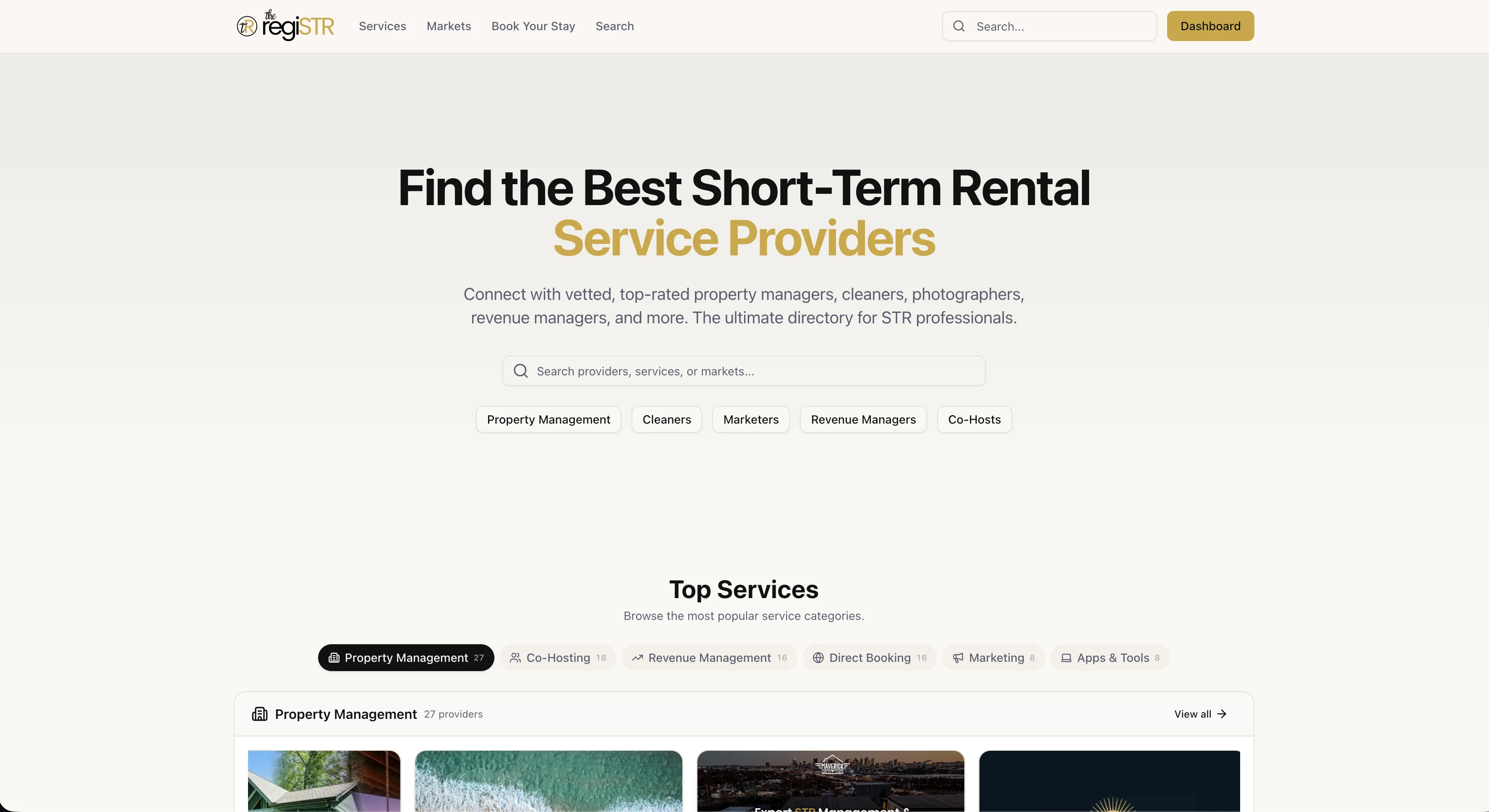
If your listing is still stuck after the audit above, the fastest next step is browsing STR service providers on the regiSTR by market and category, from photographers who know exactly how Airbnb's cover photo algorithm rewards natural light to revenue managers who reset your pricing against a real comp set. Sign up free and search by city to see who's already vetted in your market.
Content powered by inkSTR.co